Where it came from
I wanted to play at a jam and I was missing what a lot of people miss: recognizing intervals quickly and knowing which scale fits over which chord, without thinking. Books explain it well, but they don't correct you when you get it wrong, and none of them tells you what to do when your mind goes blank on stage.
The problem
Music theory is studied by reading and learned by playing. In between, there's a missing tool that gives instant feedback —one that tells you, in the moment, whether that minor sixth was the one you thought— and that also turns theory into an actionable instruction while you're playing.
The solution
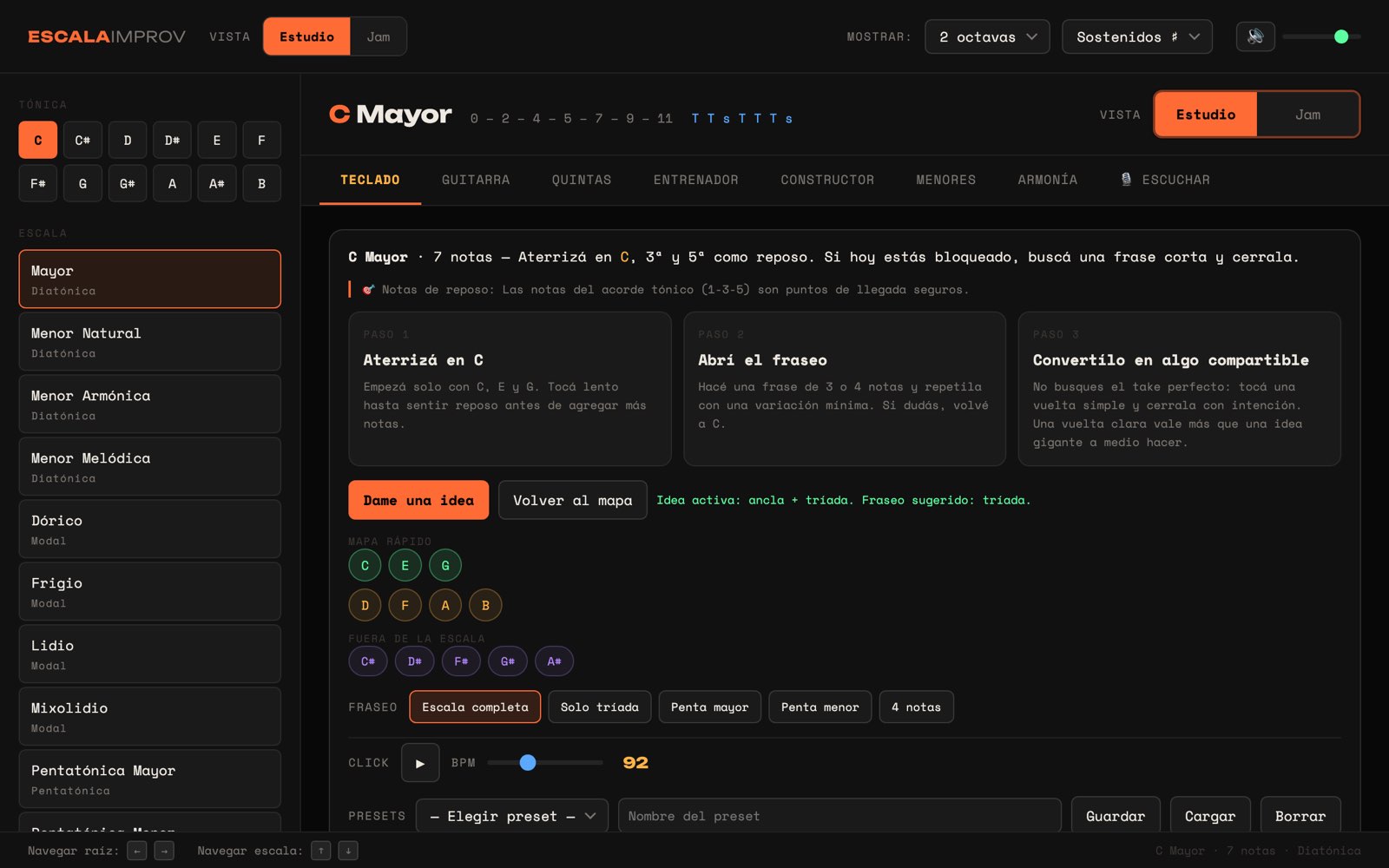
It started as an Electron desktop app and is now a web application with two modes: Study, to understand the scale, degrees, chords and the circle of fifths; and Jam, to play with a short guide alongside. Each key comes with resting notes, phrasing ideas and a click with BPM, so the leap from theory to instrument does not depend on memory.
What's solved
- Two modes: Study (understand) and Jam (play), on the same scale engine.
- Keyboard, guitar, circle of fifths, trainer, builder, minors, harmony and ear-training views.
- Three-step guide per key: where to land, how to open the phrase and how to close it.
- Interval trainer with three exercise types —identify, build and find the root—, exam mode with a countdown and a session score.
- 14 scales and modes —major, natural, harmonic and melodic minor, Greek modes, pentatonics, blues, whole tone, diminished and chromatic— in 12 keys.
- Quick map that separates the scale's notes from the ones outside it.
- Click with adjustable BPM and session presets you can save and load.
- Full keyboard navigation: arrow keys to change root and scale.
Evidence
- App published and accessible online, plus the product landing page.
- Circle of fifths implemented in responsive SVG, synced both ways with the rest of the application.
- The Electron desktop version the project started from is still in the repository, packaged for Windows, macOS and Linux.
The hard parts
- Showing music theory without overwhelming: every visible element had to answer a question musicians actually ask themselves while playing.
- Feedback has to be instant. Any delay between answering and knowing if you got it right breaks the exercise.
- Moving from desktop to web meant rebuilding the interface around two different intentions —studying and playing— instead of replicating the same screen.
What I learned
- Building the tool I needed taught me more theory than studying it: to model the circle of fifths you really have to understand it.
- Keyboard navigation wasn't an accessibility improvement added at the end: practicing with a mouse is downright awkward.
- Separating Study from Jam was the product decision that changed usage the most: they are two different moments and needed two different interfaces.
Next steps
- Exercises on full progressions, not just isolated intervals.
Other products
Applied learnings